![FinPro logo full color (1).png]](https://help.finpro.us/hs-fs/hubfs/FinPro%20logo%20full%20color%20(1).png?height=27&name=FinPro%20logo%20full%20color%20(1).png)
- Please note the process for cloning a Peer and Comparable Group is the same.
In the selection process, select the quarter in which your desired peer or comp group is housed.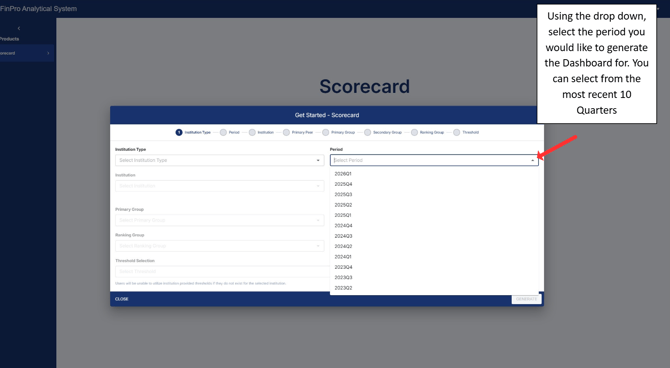
When you get to the Primary Peer selection step, click on the pencil icon. 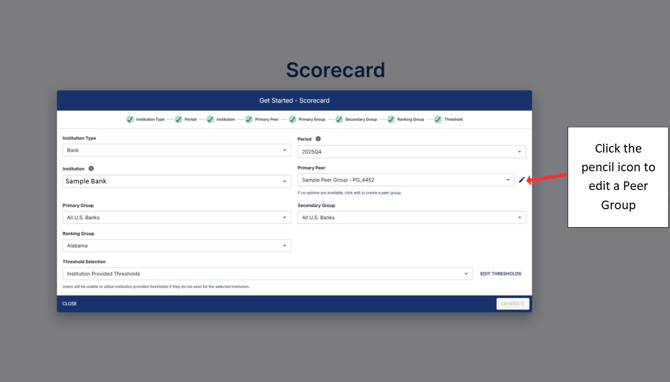
Once you are taken to Peer Analytics, find the Peer group you want to clone and click on the orange “Clone” icon.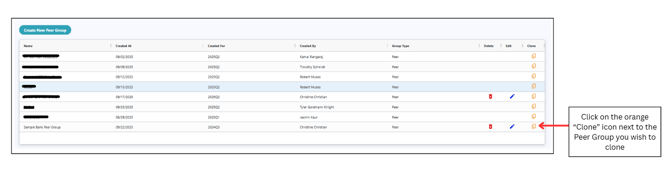
Select “Clone Institution List” if you wish to keep that specific list of institutions. Alternatively you can click “Clone Criteria” to duplicate the criteria selections for the current quarter you are analyzing.

Click “Next” to generate your institution list.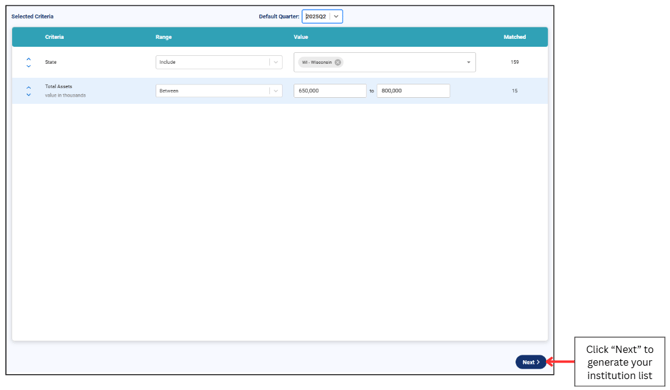
In this step is where you may add or remove institutions from your list.
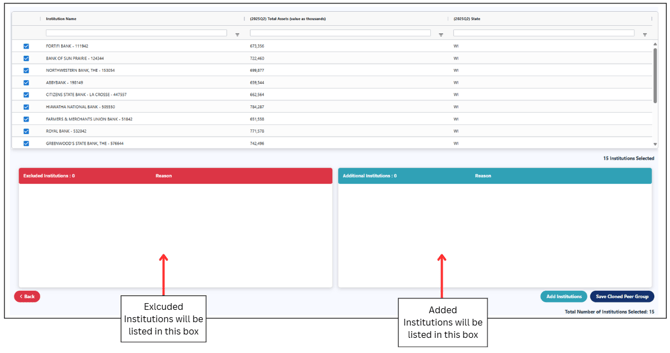
Once you are satisfied with your group, click “Save Cloned Peer Group” and enter a name and description for the group.
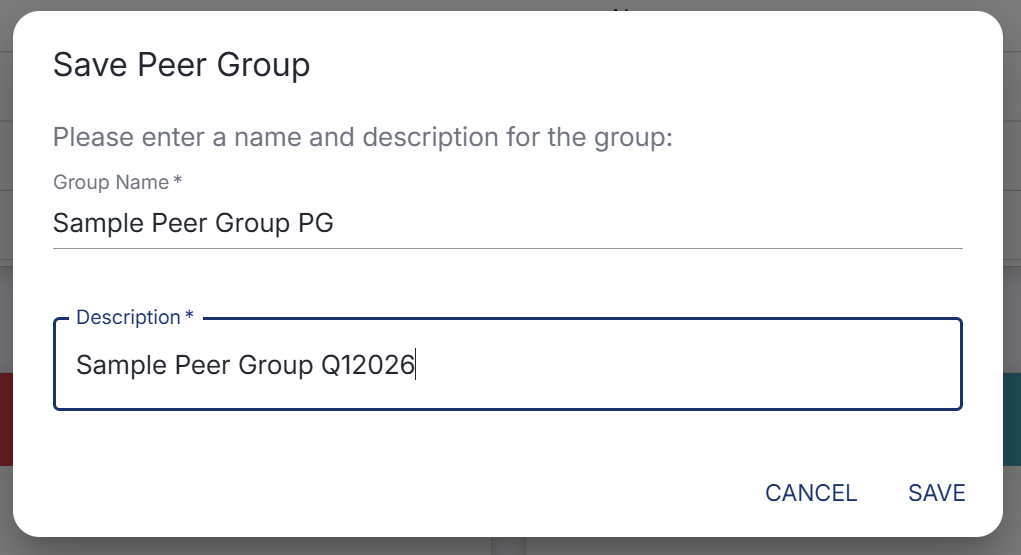
Once you click “save” you will be directed back to the main Scorecard Dashboard.
Once here, instead of clicking on the pencil icon, simple select the drop down menu and look for your newly cloned Peer Group for the quarter you selected previously.
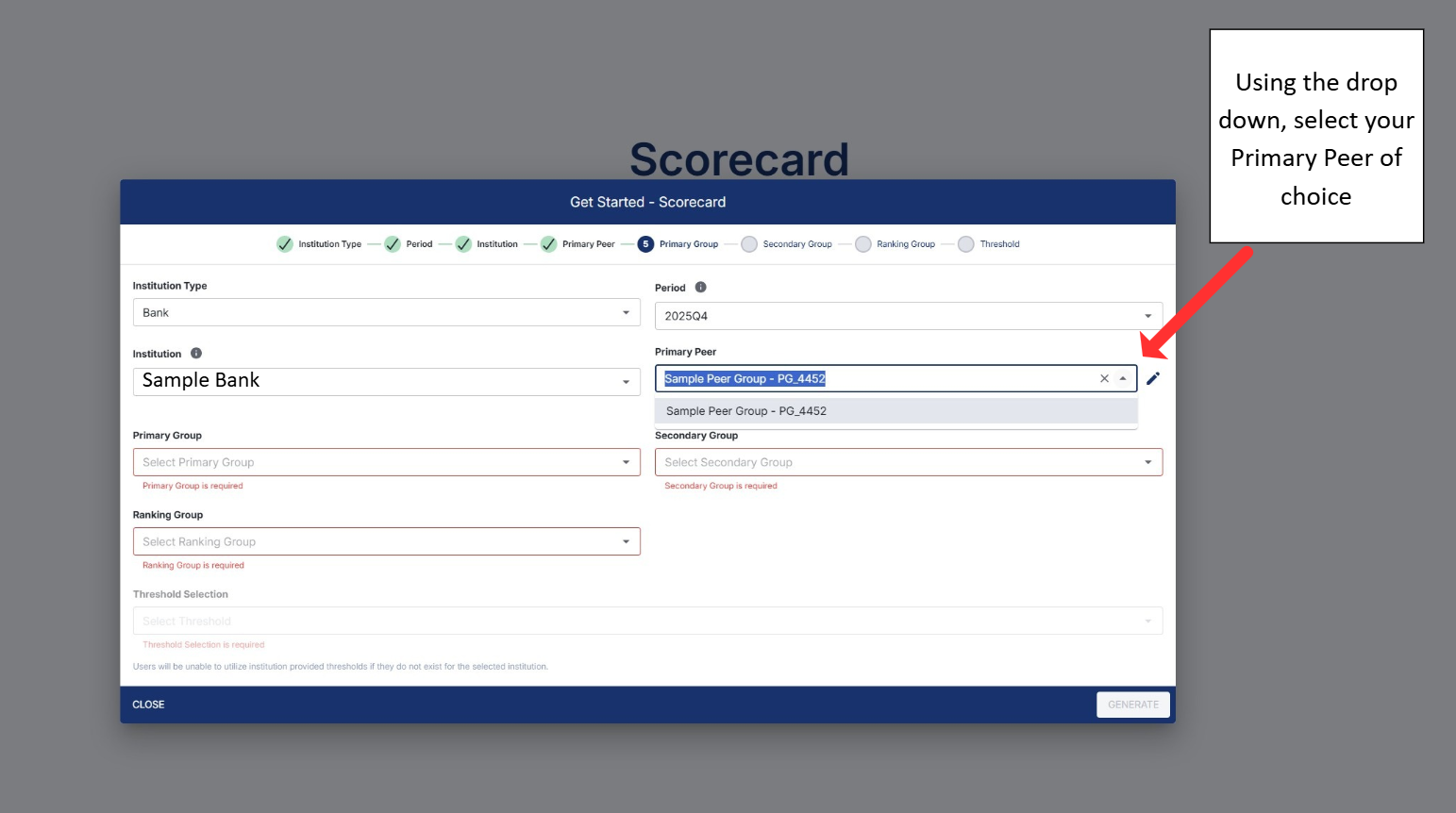
You should be able to see the cloned Peer Group under the Primary and Secondary Group selection steps as well.